Thanks Oskar, here is another update:
Problem started when trying to access the camera app frontend live view at 10.10.3.6:9000 and 10.10.3.7:9000. The page will load but show a blank white screen
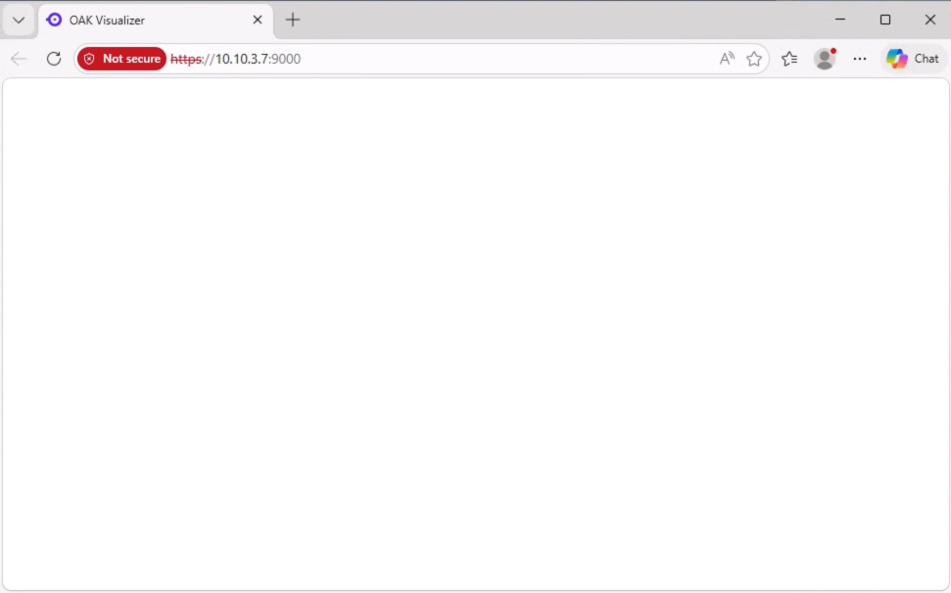
Thesee are apps that have been installed to both cameras a week before and have been running fine until now.
Upon inspecting app logs using oakctl app logs, there are a lot of these out of space errors:
[2026-05-27T01:43:56Z] 2026/05/27 01:43:56 [crit] 36#36: *49 mkdir() "/var/lib/nginx/proxy/2" failed (28: No space left on device) while reading upstream, client: 10.10.3.98, server: _, request: "GET /assets/index-CV3zlxZC.js HTTP/1.1", upstream: "http://127.0.0.1:8082/assets/index-CV3zlxZC.js", host: "10.10.3.7:9000", referrer: "https://10.10.3.7:9000/"
This was the only app installed on the device. I followed the Luxonis guide online and uninstalled the app and pruned the storage using oakctl:
PS P:\> oakctl app prune-storage
✔ Storage pruned successfully.
PS P:\> oakctl app list
No apps installed
I then attempted to reinstall the app but got this error:
PS C:\Users\james.yu\oak_test\oak-inspection-app> oakctl app install .\com-inspection-oak-eval_0-0-3.oakapp
✖ Failed to send data.
oakctl command failed:
0: File sync sender failed to propagate response: channel closed
Then I attempted to run the app in dev mode from the computer:
PS C:\Users\james.yu\oak_test\oak-inspection-app> oakctl app run .
Starting oakapp in dev mode from path: .
✔ Data sent to device ✔ Develop container started Press Ctrl+C to stop the app ...
App develop build output:
Retrieving base image luxonis/oakapp-base:1.2.5 ...
Layer downloaded 19ad5c44aca2 [████████████████████████████████████████] 100% (725 B)
Layer downloaded c4ade8df7c0d [████████████████████████████████████████] 100% (1009 B)
Layer downloaded adf5ff65dba2 [████████████████████████████████████████] 100% (87.99 MiB)
Layer downloaded ef5f92ac487a [████████████████████████████████████████] 100% (1.65 KiB)
Layer downloaded dff73aeeb436 [████████████████████████████████████████] 100% (197 B)
Layer downloaded 30dd576f8fce [████████████████████████████████████████] 100% (97.80 MiB)
Layer downloaded 37259e733066 [████████████████████████████████████████] 100% (26.78 MiB)
Layer downloaded b81191b31534 [████████████████████████████████████████] 100% (523 B)
Layer downloaded c844e6c88a6a [████████████████████████████████████████] 100% (6.78 MiB)
Layer downloaded f800ae88b1c8 [████████████████████████████████████████] 100% (2.25 KiB)
Layer downloaded 3c0bc210f0ed [████████████████████████████████████████] 100% (551 B)
Layer downloaded c2c19c43459d [████████████████████████████████████████] 100% (421 B)
Layer downloaded a6889824e6ef [████████████████████████████████████████] 100% (53.90 MiB) Processing layer zoo_models ...
Processing layer runtime ...
Processing layer build ...
Processing layer frontend ...
Processing layer app ...
[2026-05-27T01:43:26Z] Collecting depthai
[2026-05-27T01:43:26Z] Downloading depthai-3.6.1-cp39.cp310.cp311.cp312.cp313.cp314-cp39.cp310.cp311.cp312.cp313.cp314-manylinux_2_28_aarch64.whl.metadata (9.9 kB)
[2026-05-27T01:43:26Z] Collecting numpy<3.0.0 (from depthai)
[2026-05-27T01:43:26Z] Downloading numpy-2.4.6-cp312-cp312-manylinux_2_27_aarch64.manylinux_2_28_aarch64.whl.metadata (6.6 kB)
[2026-05-27T01:43:27Z] Downloading depthai-3.6.1-cp39.cp310.cp311.cp312.cp313.cp314-cp39.cp310.cp311.cp312.cp313.cp314-manylinux_2_28_aarch64.whl (76.9 MB)
[2026-05-27T01:43:33Z] ━━━━━━━━━━━━━━━━━━━━━━━━━━━━━━━━━━━━━━━━ 76.9/76.9 MB 5.4 MB/s eta 0:00:00
[2026-05-27T01:43:33Z] Downloading numpy-2.4.6-cp312-cp312-manylinux_2_27_aarch64.manylinux_2_28_aarch64.whl (15.7 MB)
[2026-05-27T01:43:34Z] ━━━━━━━━━━━━━━━━━━━━━━━━━━━━━━━━━━━━━━━━ 15.7/15.7 MB 12.7 MB/s eta 0:00:00
[2026-05-27T01:43:34Z] Installing collected packages: numpy, depthai
[2026-05-27T01:43:35Z] WARNING: The scripts f2py and numpy-config are installed in '/usr/local/python3.12/bin' which is not on PATH.
[2026-05-27T01:43:35Z] Consider adding this directory to PATH or, if you prefer to suppress this warning, use --no-warn-script-location.
[2026-05-27T01:43:37Z] WARNING: The script depthai is installed in '/usr/local/python3.12/bin' which is not on PATH.
[2026-05-27T01:43:37Z] Consider adding this directory to PATH or, if you prefer to suppress this warning, use --no-warn-script-location.
[2026-05-27T01:43:38Z] Successfully installed depthai-3.6.1 numpy-2.4.6
[2026-05-27T01:43:38Z] WARNING: Running pip as the 'root' user can result in broken permissions and conflicting behaviour with the system package manager. It is recommended to use a virtual environment instead: https://pip.pypa.io/warnings/venv
[2026-05-27T01:43:38Z]
[2026-05-27T01:43:38Z] [notice] A new release of pip is available: 24.0 -> 26.1.1
[2026-05-27T01:43:38Z] [notice] To update, run: python3.12 -m pip install --upgrade pip
[2026-05-27T01:43:38Z]
[2026-05-27T01:43:38Z]
[2026-05-27T01:43:39Z]
[2026-05-27T01:43:39Z]
App output:
[2026-05-27T01:43:41Z] OAK_WEBRTC - Starting
[2026-05-27T01:43:41Z] NGINX - Starting
[2026-05-27T01:43:41Z] find: '': No such file or directory
[2026-05-27T01:43:41Z] CONNECTION - System time is: Wed May 27 01:43:41 UTC 2026, starting the application
[2026-05-27T01:43:41Z] NGINX - Server configuration:
[2026-05-27T01:43:41Z] [2026-05-27T01:43:41Z INFO oak_webrtc] Creating authorized WebRTC client client_id=a2a6a565-057f-4590-a91b-45d2738dd729
[2026-05-27T01:43:41Z] server {
[2026-05-27T01:43:41Z] listen 9000 ssl;
[2026-05-27T01:43:41Z] listen [::]:9000 ssl;
[2026-05-27T01:43:41Z]
[2026-05-27T01:43:41Z] ssl_certificate /etc/nginx/ssl/nginx-selfsigned.crt;
[2026-05-27T01:43:41Z] ssl_certificate_key /etc/nginx/ssl/nginx-selfsigned.key;
[2026-05-27T01:43:41Z]
[2026-05-27T01:43:41Z] error_page 497 301 =307 https://$host:$server_port$request_uri;
[2026-05-27T01:43:41Z]
[2026-05-27T01:43:41Z] location /dai {
[2026-05-27T01:43:41Z] proxy_pass http://127.0.0.1:8765;
[2026-05-27T01:43:41Z] proxy_http_version 1.1;
[2026-05-27T01:43:41Z] proxy_set_header Upgrade $http_upgrade;
[2026-05-27T01:43:41Z] proxy_set_header Connection "upgrade";
[2026-05-27T01:43:41Z] proxy_set_header Host $host;
[2026-05-27T01:43:41Z] proxy_set_header X-Real-IP $remote_addr;
[2026-05-27T01:43:41Z] proxy_set_header X-Forwarded-For $proxy_add_x_forwarded_for;
[2026-05-27T01:43:41Z] }
[2026-05-27T01:43:41Z]
[2026-05-27T01:43:41Z] location / {
[2026-05-27T01:43:41Z]
[2026-05-27T01:43:41Z] proxy_pass http://127.0.0.1:8082;
[2026-05-27T01:43:41Z] proxy_http_version 1.1;
[2026-05-27T01:43:41Z] proxy_set_header Host $host;
[2026-05-27T01:43:41Z] proxy_set_header X-Real-IP $remote_addr;
[2026-05-27T01:43:41Z] proxy_set_header X-Forwarded-For $proxy_add_x_forwarded_for;
[2026-05-27T01:43:41Z] proxy_set_header X-Forwarded-Proto $scheme;
[2026-05-27T01:43:41Z]
[2026-05-27T01:43:41Z] }
[2026-05-27T01:43:41Z]
[2026-05-27T01:43:41Z] server_name _;
[2026-05-27T01:43:41Z]
[2026-05-27T01:43:41Z] }
[2026-05-27T01:43:41Z] [2026-05-27T01:43:41Z INFO oak_webrtc] Waiting for WebRTC connection...
[2026-05-27T01:43:41Z] [2026-05-27 01:43:41.223] [depthai] [warning] USB protocol not available - If running in a container, make sure that the following is set: "-v /dev/bus/usb:/dev/bus/usb --device-cgroup-rule='c 189:* rmw'"
[2026-05-27T01:43:41Z] [2026-05-27T01:43:41Z INFO lib-webrtc] Connection to signaling server established url=wss://signal.cloud.luxonis.com/agent/
[2026-05-27T01:43:41Z] 2026/05/27 01:43:41 [error] 37#37: *2 connect() failed (111: Connection refused) while connecting to upstream, client: ::1, server: _, request: "GET / HTTP/1.1", upstream: "http://127.0.0.1:8082/", host: "localhost:9000", referrer: "http://localhost:9000/"
[2026-05-27T01:43:42Z] 2026/05/27 01:43:42 [error] 37#37: *2 connect() failed (111: Connection refused) while connecting to upstream, client: ::1, server: _, request: "GET / HTTP/1.1", upstream: "http://127.0.0.1:8082/", host: "localhost:9000", referrer: "http://localhost:9000/"
[2026-05-27T01:43:42Z] 2026/05/27 01:43:42 [error] 37#37: *2 connect() failed (111: Connection refused) while connecting to upstream, client: ::1, server: _, request: "GET / HTTP/1.1", upstream: "http://127.0.0.1:8082/", host: "localhost:9000", referrer: "http://localhost:9000/"
[2026-05-27T01:43:43Z] 2026/05/27 01:43:43 [error] 37#37: *2 connect() failed (111: Connection refused) while connecting to upstream, client: ::1, server: _, request: "GET / HTTP/1.1", upstream: "http://127.0.0.1:8082/", host: "localhost:9000", referrer: "http://localhost:9000/"
[2026-05-27T01:43:43Z] 2026/05/27 01:43:43 [error] 37#37: *2 connect() failed (111: Connection refused) while connecting to upstream, client: ::1, server: _, request: "GET / HTTP/1.1", upstream: "http://127.0.0.1:8082/", host: "localhost:9000", referrer: "http://localhost:9000/"
[2026-05-27T01:43:44Z] 2026/05/27 01:43:44 [error] 37#37: *2 connect() failed (111: Connection refused) while connecting to upstream, client: ::1, server: _, request: "GET / HTTP/1.1", upstream: "http://127.0.0.1:8082/", host: "localhost:9000", referrer: "http://localhost:9000/"
[2026-05-27T01:43:44Z] 2026/05/27 01:43:44 [error] 37#37: *2 connect() failed (111: Connection refused) while connecting to upstream, client: ::1, server: _, request: "GET / HTTP/1.1", upstream: "http://127.0.0.1:8082/", host: "localhost:9000", referrer: "http://localhost:9000/"
[2026-05-27T01:43:45Z] 2026/05/27 01:43:45 [error] 37#37: *2 connect() failed (111: Connection refused) while connecting to upstream, client: ::1, server: _, request: "GET / HTTP/1.1", upstream: "http://127.0.0.1:8082/", host: "localhost:9000", referrer: "http://localhost:9000/"
[2026-05-27T01:43:45Z] 2026/05/27 01:43:45 [error] 37#37: *2 connect() failed (111: Connection refused) while connecting to upstream, client: ::1, server: _, request: "GET / HTTP/1.1", upstream: "http://127.0.0.1:8082/", host: "localhost:9000", referrer: "http://localhost:9000/"
[2026-05-27T01:43:45Z] To connect to the OAK visualizer use the following:
[2026-05-27T01:43:45Z] If you are opening the visualizer locally, open http://localhost:8082 in your browser
[2026-05-27T01:43:45Z] If you are using peripheral mode and viewing from another machine, open http://10.10.3.7:8082 in your browser
[2026-05-27T01:43:45Z] If you are using oakapp base image, open https://10.10.3.7:9000 in your browser
Open frontend here: http://10.10.3.7:9000/
[2026-05-27T01:43:51Z] CONNECTION - Agent request succeeded
[2026-05-27T01:43:51Z] CONNECTION - To connect DepthAI Viewer locally, open: https://10.10.3.7:9000
[2026-05-27T01:43:56Z] 2026/05/27 01:43:56 [crit] 38#38: *43 mkdir() "/var/lib/nginx/proxy/1" failed (28: No space left on device) while reading upstream, client: 10.10.3.98, server: _, request: "GET /assets/index-O9sBLzcc.css HTTP/1.1", upstream: "http://127.0.0.1:8082/assets/index-O9sBLzcc.css", host: "10.10.3.7:9000", referrer: "https://10.10.3.7:9000/"
[2026-05-27T01:43:56Z] 2026/05/27 01:43:56 [crit] 36#36: *49 mkdir() "/var/lib/nginx/proxy/2" failed (28: No space left on device) while reading upstream, client: 10.10.3.98, server: _, request: "GET /assets/index-CV3zlxZC.js HTTP/1.1", upstream: "http://127.0.0.1:8082/assets/index-CV3zlxZC.js", host: "10.10.3.7:9000", referrer: "https://10.10.3.7:9000/" [2026-05-27T01:44:16Z] 2026-05-27 01:44:16,215
The app appears to be running but when going to the viewer at 10.10.3.7:9000 it still shows the same blank white page along with the error in logs indicating device is running out of space. At this point the only option left seems to be a master device reset.
