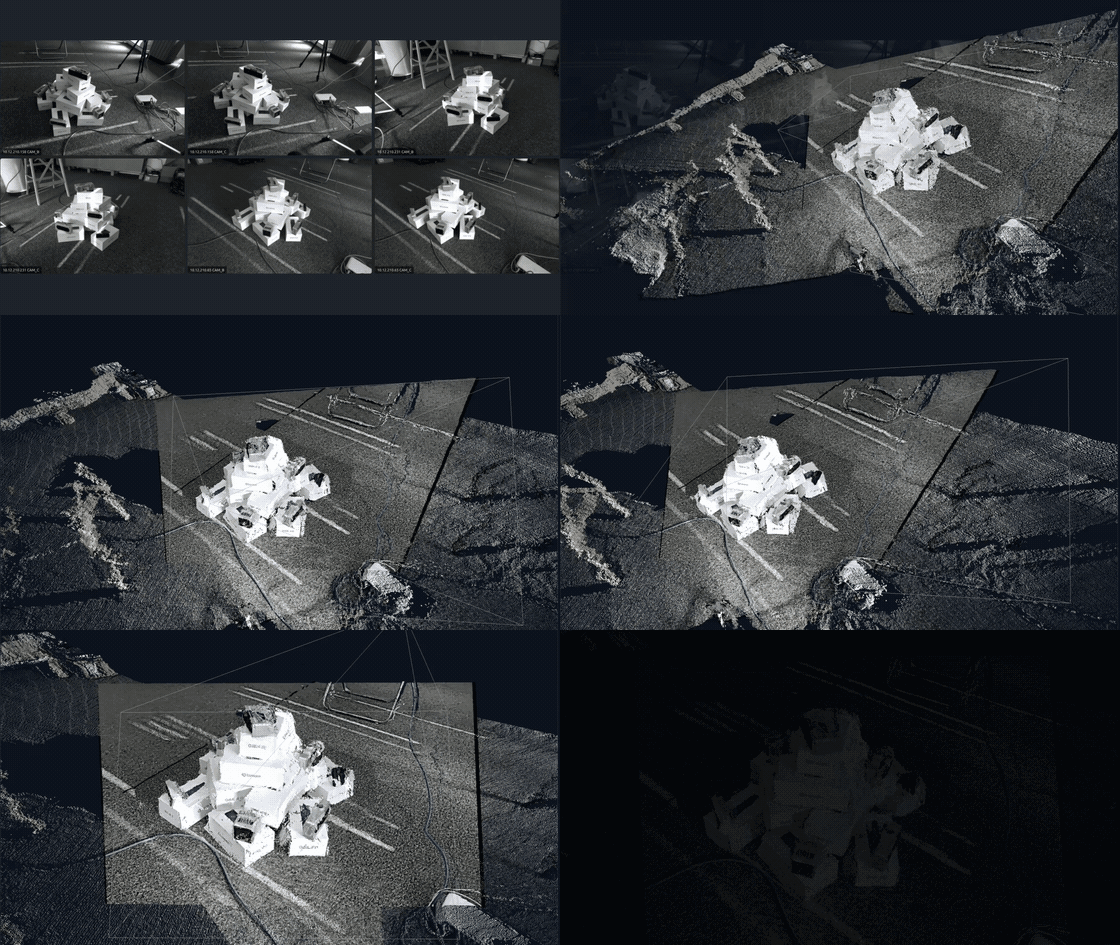
Three OAK 4 D cameras calibrated into one coordinate system, then merged into one point cloud.
One camera sees one side of an object. Box dimensioning, tote inspection and robot work cells often need two or three views at once, and until now that meant one pipeline per device, your own code to pair frames across them, and your own math to put every camera in the same coordinate system.
DepthAI 3.11.0 moves that work into the SDK. A single Pipeline can now build and run nodes on several devices, link nodes across devices, sync their frames, and calibrate them into one shared coordinate system with the new MultiDeviceCalibration node (beta).
This post walks through the three steps with the examples that ship in depthai-core:
- Add several devices to one pipeline
- Sync frames across them
- Calibrate them into one coordinate system
Requirements. DepthAI 3.11.0 or newer. Multi-device pipelines run on RVC4 devices (OAK 4) only. MultiDeviceCalibration is a beta node, so its API may change in future releases. For PTP sync, run Luxonis OS 1.41.0 or newer.
Step 1: one pipeline, several devices
Create the pipeline without an implicit device, add each OAK with pipeline.addDevice(...), then pass a device when you create a node. That device runs the node.
Nodes on different devices link the same way nodes on one device do. When a link crosses devices, the pipeline routes it through the host at build time. You write no forwarding code.
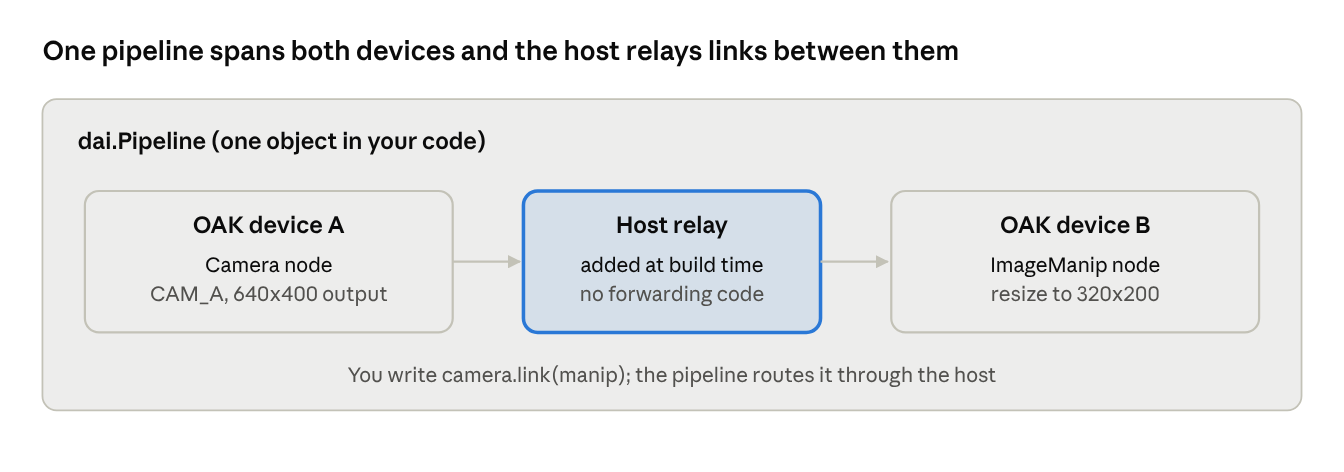
This is the core of the device_to_device_relay.py example: a camera on device A feeds an ImageManip node on device B.
import depthai as dai
deviceInfos = dai.Device.getAllAvailableDevices()
with dai.Pipeline(False) as pipeline:
deviceA = pipeline.addDevice(deviceInfos[0])
deviceB = pipeline.addDevice(deviceInfos[1])
camera = pipeline.create(dai.node.Camera, deviceA).build(dai.CameraBoardSocket.CAM_A)
manip = pipeline.create(dai.node.ImageManip, deviceB)
manip.initialConfig.setOutputSize(320, 200)
# Cross-device link, relayed through the host automatically
camera.requestOutput((640, 400)).link(manip.inputImage)
queue = manip.out.createOutputQueue()
pipeline.start()
If a device drops, the rest keep running. The pipeline keeps the other devices streaming, and the lost device reconnects on its own. Register pipeline.setDeviceStateCallback(...) to react to state changes, or check device.getDeviceState(). The multi_device_stream.py example shows this: a disconnected camera's tile turns gray and is labeled OFFLINE while the other tiles keep updating.
For the full reference, including device states, linking rules and starting and stopping, see the Multi-Device Pipelines docs.
Step 2: sync frames across devices
To pair frames from several devices, link every camera into one host Sync node. Because every device lives in the same pipeline, there are no per-device pipelines and no manual queue pumping.
sync = pipeline.create(dai.node.Sync)
sync.setRunOnHost(True)
sync.setSyncThreshold(timedelta(milliseconds=20))
for info in deviceInfos:
device = pipeline.addDevice(info)
cam = pipeline.create(dai.node.Camera, device).build(dai.CameraBoardSocket.CAM_A)
cam.requestOutput((1280, 800)).link(sync.inputs[device.getDeviceId()])
The multi_device_frame_sync.py example supports three sync modes:
| Mode | How it works | Default threshold |
| Host sync | Cameras run free; the host Sync node pairs frames by timestamp. No wiring or network setup. | 20 ms |
| FSYNC | The master device strobes over a wired sync line and the others lock to it. | 1 ms |
| PTP | Cameras share a PTP clock over Ethernet and capture on a common frame schedule. | 1 ms |
The example overlays the time gap between the newest and oldest frame in each synced group, so you can see how tight your sync is.
PTP needs a one-time setup on each device over SSH, followed by a reboot. The PTP synchronization guide walks through it.
Step 3: calibrate devices into one coordinate system
Synced frames are only half the job. To combine what the cameras see, you need to know where each device sits relative to the others. The new MultiDeviceCalibration node (beta) solves for that from the camera frames, with no calibration target.
Point every device at the same static, textured scene and keep them still. The node collects synced frame groups (10 by default), solves for the transform between devices, and returns the result as data. It never writes anything to the devices.
with dai.Pipeline(createImplicitDevice=False) as pipeline:
calibration = pipeline.create(dai.beta.node.MultiDeviceCalibration)
calibration.setSampleCount(10)
for info in deviceInfos:
device = pipeline.addDevice(info)
for socket in (dai.CameraBoardSocket.CAM_B, dai.CameraBoardSocket.CAM_C):
camera = pipeline.create(dai.node.Camera, device).build(socket, sensorFps=5)
calibration.addCamera(camera.requestFullResolutionOutput(fps=5))
controlQueue = calibration.inputControl.createInputQueue()
resultQueue = calibration.calibrationOutput.createOutputQueue()
pipeline.start()
controlQueue.send(dai.beta.MultiDeviceCalibrationControl.start())
result = resultQueue.get(timedelta(minutes=3))
result.getHandler().toJsonFile("rig.json")
print(f"Confidence: {result.dataConfidence:.3f}")
Save the result to JSON, then load it in your application pipeline with pipeline.setMultiDeviceCalibration(...). From there, every device shares one coordinate system.
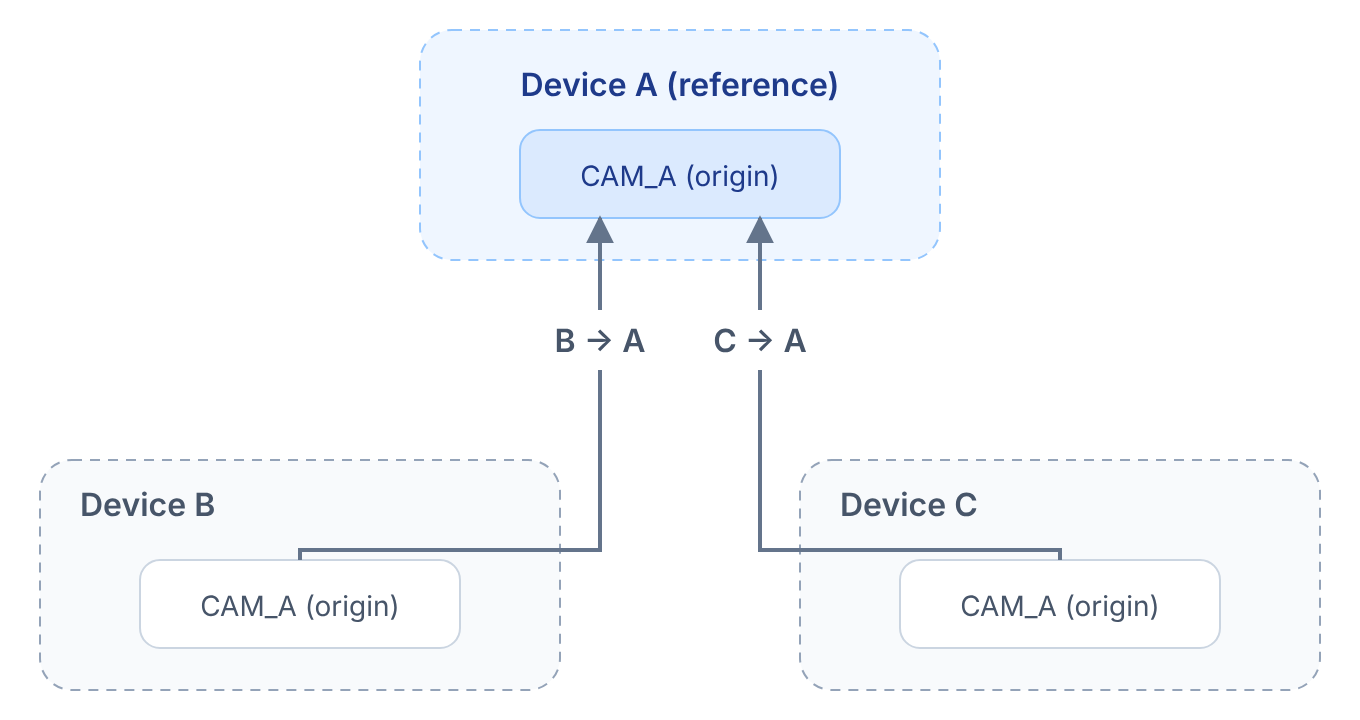
Calibration picks one device as the reference and maps every other device onto it.
The node needs a source of metric scale. On stereo devices, the factory calibration of the stereo pair provides it. With single cameras, give it a measured distance between cameras with setKnownDistance. If you know the approximate rig layout, setInitialGuess gives the solver a starting point. See multi_device_calibration_constraints.py.
The same calibration also feeds the Stitching node (beta). With setUseInputCalibration(true), it builds a panorama from the calibrated camera poses and skips feature matching.
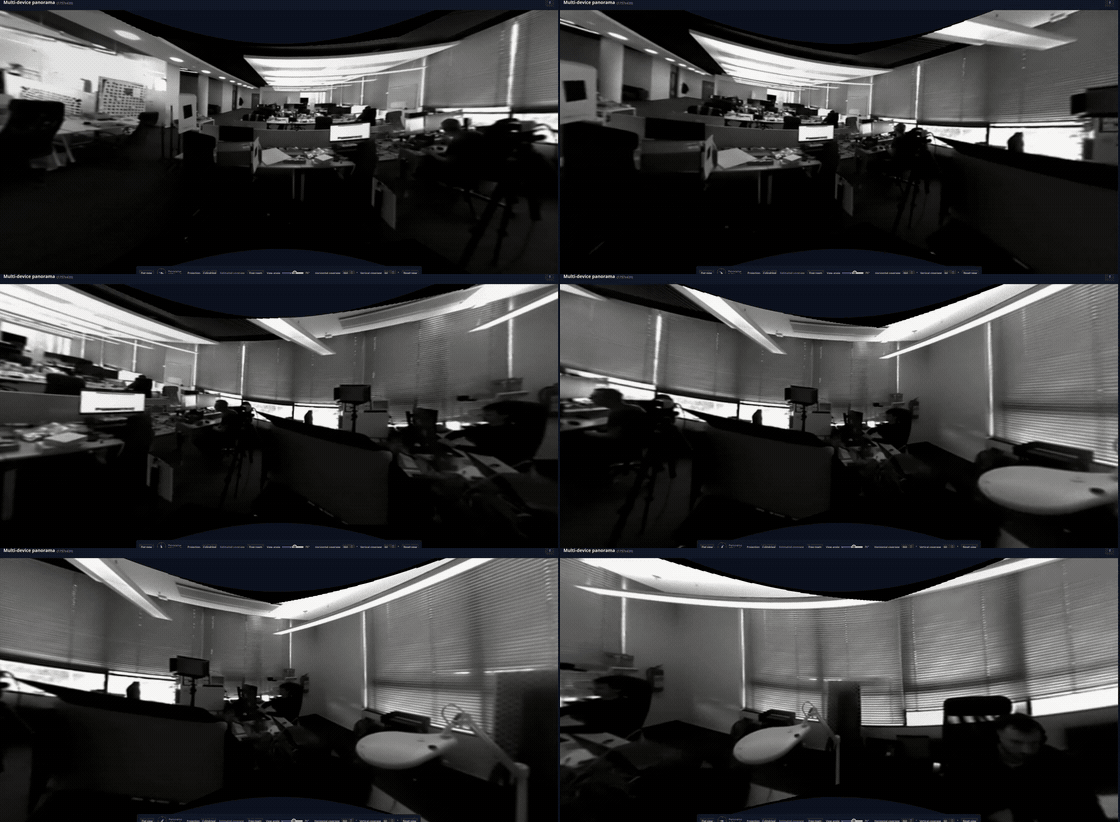
Calibrated views stitched into one panorama.
In practice: two cameras, one box
To test the full flow, our team pointed two OAK 4 D cameras at the same box from different sides and ran it end to end.
- Calibration: both devices streamed their stereo pair into
MultiDeviceCalibration. Ten synced groups, about 20 seconds, confidence 0.82, saved to one JSON file.
- Depth: each device ran NeuralDepth (LARGE) on device, aligned to its color camera.
- Merge: the host combined both depth streams into one colored point cloud in the shared coordinate system from the calibration file.
We then ran our box measurement app on the merged cloud. The box got about 4x as many points, and the faces one camera couldn't see were filled in by the other. Box dimensions stayed in line with the single-camera result.
The gain today is coverage. A box partly hidden from one camera still gets measured, and camera placement matters less. This test only merged the two views, with no post-processing yet, so there is still room to improve accuracy.
What's next
The merge step above uses a PointCloud node that accepts depth and color from several devices and outputs one cloud. It is in development and will land in an upcoming DepthAI release. Until then, the calibration JSON gives you the transform for each device, so you can merge point clouds on the host yourself.
If you have a multi-camera use case, tell us about it on the forum. Real setups shape what we build next.
Try it
Install DepthAI 3.11.0:
python3 -m pip install depthai==3.11.0
Then run the examples with two or more devices on your network:
| Example | Shows |
| device_to_device_relay.py | A camera on one device feeding a node on another |
| multi_device_frame_sync.py | Frame sync with host, FSYNC or PTP |
| multi_device_stream.py | A custom host node across devices, with OFFLINE handling |
| multi_device_calibration.py | Calibrating devices into one coordinate system |
| multi_device_calibration_constraints.py | Known distance, initial guesses, calibration from files |
C++ versions are in examples/cpp. For everything else in this release, see the DepthAI 3.11.0 release notes.
Docs: Multi-Device Pipelines and Multi-Device Calibration.