We’ve updated the embedded bootloader for RVC2 PoE devices to v0.0.29. This release significantly improves device discoverability and addresses an issue that could cause intermittent X_LINK_DEVICE_NOT_FOUND errors.
If you’ve experienced frequent discovery failures with an RVC2 PoE device, we recommend updating its bootloader.
What’s improved in v0.0.29?
The main improvement in bootloader v0.0.29 is more reliable discovery of RVC2 PoE devices.
Previously, stale connection information could occasionally prevent a device from being discovered correctly, resulting in errors such as:
X_LINK_DEVICE_NOT_FOUND
The updated bootloader fixes the handling of this connection information, greatly reducing these discovery failures.
Compatibility with DepthAI
The bootloader version is independent of the DepthAI version and is both backward- and forward-compatible.
This means you can update the bootloader without needing to align it with a particular DepthAI release.
Should I update?
If your RVC2 PoE devices are working reliably, an immediate update is not required.
However, updating the recoverable user bootloader is recommended for devices that experience frequent discovery failures.
For the most complete integration of the fix, we recommend flashing the factory bootloader. Factory flashing modifies a more critical part of the device, so make sure to follow the documented procedure carefully.
How to update the bootloader
There are three supported ways to flash the updated bootloader.
1. OAK Viewer or Device Manager — recommended
For the easiest GUI-based experience, use the latest OAK Viewer:
Click the detected device in OAK Viewer. If the bootloader is outdated, Viewer automatically detects it and prompts you to update it. Your host needs a reliable network connection to start this step.
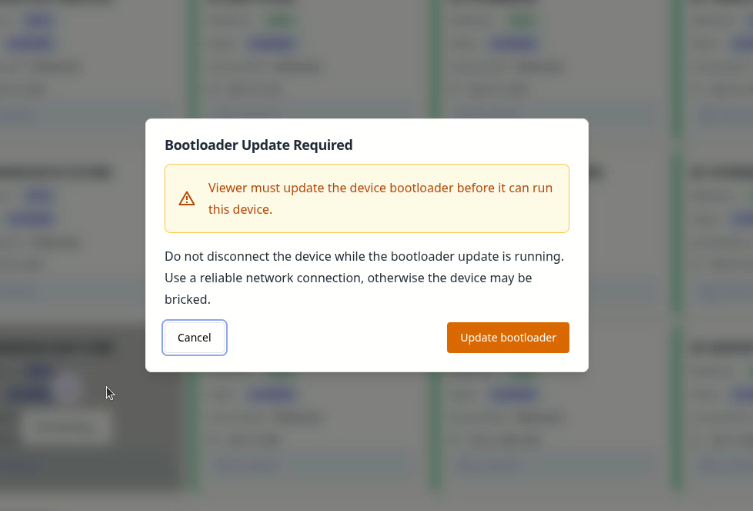
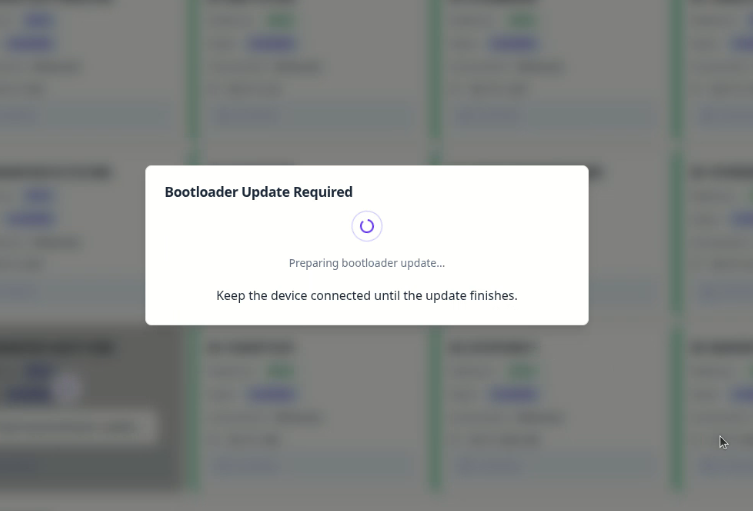
The bootloader is downloaded and flashed onto the device. Do not disturb the host or the device connection during this process.
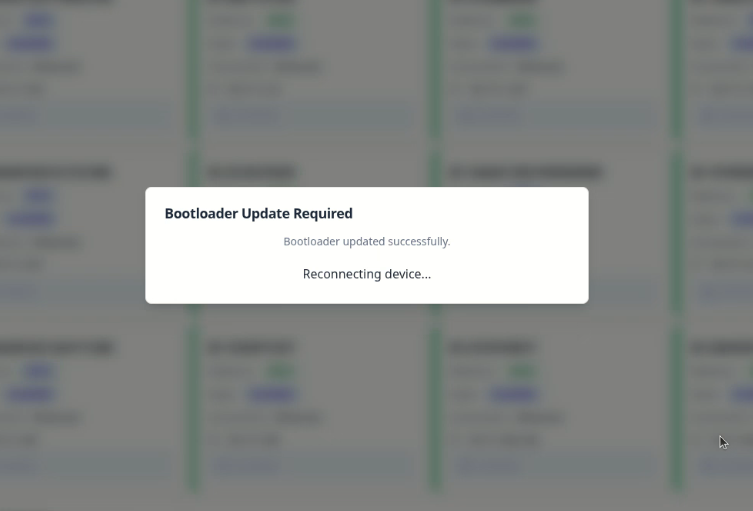
Once the bootloader update finishes, the device reconnects automatically.
Optimally you can also use the older device_manager.py utility.
The bootloader update functionality is available in the Danger Zone section.
For detailed instructions on both ways of updating, follow our DepthAI Bootloader tutorial.
2. flash_network_bootloader.py
You can also update an RVC2 PoE device using the flash_network_bootloader.py utility.
By default, the script flashes the user bootloader. To flash the factory bootloader, add the -f flag.
3. DepthAI CLI
The bootloader can also be flashed directly through the DepthAI CLI:
depthai --flash <device_ip>
By default, this flashes the user bootloader.
To flash the factory bootloader, use the -f flag:
depthai --flash <device_ip> -f
Summary
RVC2 PoE bootloader v0.0.29 makes network device discovery significantly more reliable by fixing stale connection information that could lead to X_LINK_DEVICE_NOT_FOUND errors.
For devices that frequently encounter discovery problems, we recommend updating at least the user bootloader. For full integration of the update, flash the factory bootloader using one of the supported methods above
For more information about bootloader management and flashing, see the DepthAI Bootloader documentation.
