Hello,
I'm trying to follow the OAK4 Getting Started Guide to simply connect my OAK 4 S device in any way to start working with it, but I'm not having any luck.
I have connected it to a PoE+ switch on our LAN that should deliver 30W. When connecting the device to the switch, I can see the blue light being active with no red light prior to the blue light lighting up, indicating that there is no power issue at play.
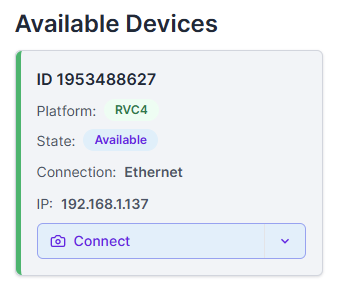
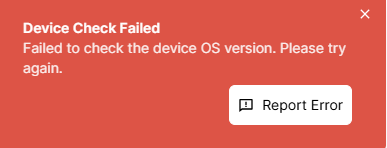
The device is discovered in OAK Viewer, but when trying to connect to it, I get the following error message:
Device Check Failed
Failed to check device OS version. Please try again.
And then, nothing happens.
Furthermore, the device is not visible using oakctl list.
The same issue is present even if I connect it directly to my laptop using a PoE+ injector.
P.S
I have also tried connecting it directly to my laptop using a USB 3.1 cable. When doing so, it does not show up in OAK Viewer, but it does show up in oakctl list with the following information:
oakctl list
+---+---------------+-----------+------------+-----+---------------+-------+
| # | Serial Number | Device | Connection | OS | Agent Version | Setup |
+==========================================================================+
| 1 | 1953488627 | OAK4-S R9 | usb:0-20 | N/A | N/A | N/A |
+---+---------------+-----------+------------+-----+---------------+-------+
However, trying to do anything with it still doesn't work here. Running oakctl device update simply yields:
⠙ Connecting ... oakctl command failed:
0: Incoming stream encountered an IO error (TLS connect): tls handshake eof
1: tls handshake eof
I would much appreciate any help I can get.
Best regards,
Oscar
