OAK4 can be deployed using either PoE+ or USB-C. While PoE+ remains the preferred option for permanent installations and production deployments, USB-C provides a simple alternative for development, evaluation, and situations where Ethernet infrastructure is not available.
With the latest software release, OAK4 can now operate using a single USB-C connection for both power and communication, making setup significantly easier.
USB-C Only Setup
For a USB-C only connection, we recommend using a 30W power supply together with a high-quality USB-C cable connected directly to a USB 3.0 port which is PD (power delivery) rated. This configuration provides enough power for the camera to operate at full performance while maintaining maximum data throughput. USB-C is needed also on host side since USB-A will not be able to provide enough power for the camera.
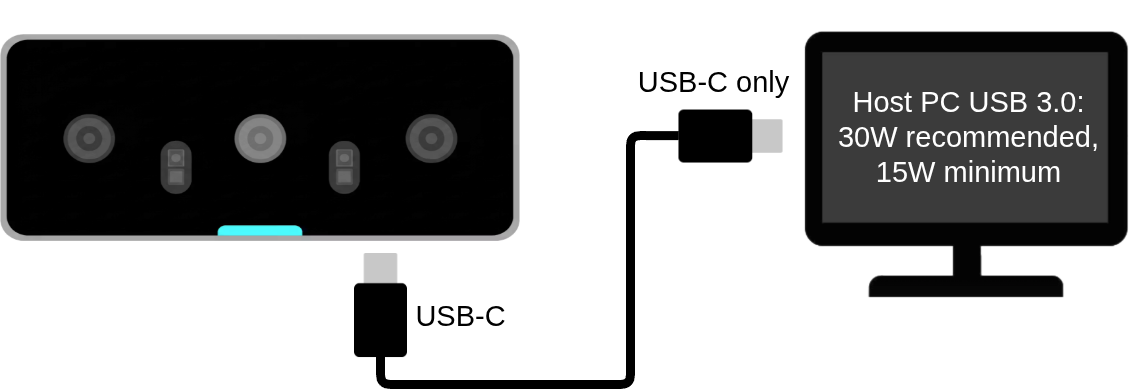
15W power supplies are still supported, but the camera will operate in a throttled performance mode. For many applications, this reduced-performance mode remains more than sufficient.
Running on Limited Power
When powered with a supply between 15W and 20W, OAK4 automatically detects the available power budget and enters a throttled performance mode. During boot, the camera will indicate this state with an orange status light.
Because the system performs additional power management during startup, boot times may be slightly longer. Wait until the blue status light appears before assuming the device is fully initialized and ready to use.
Need More Power? Combine USB-C and PoE+
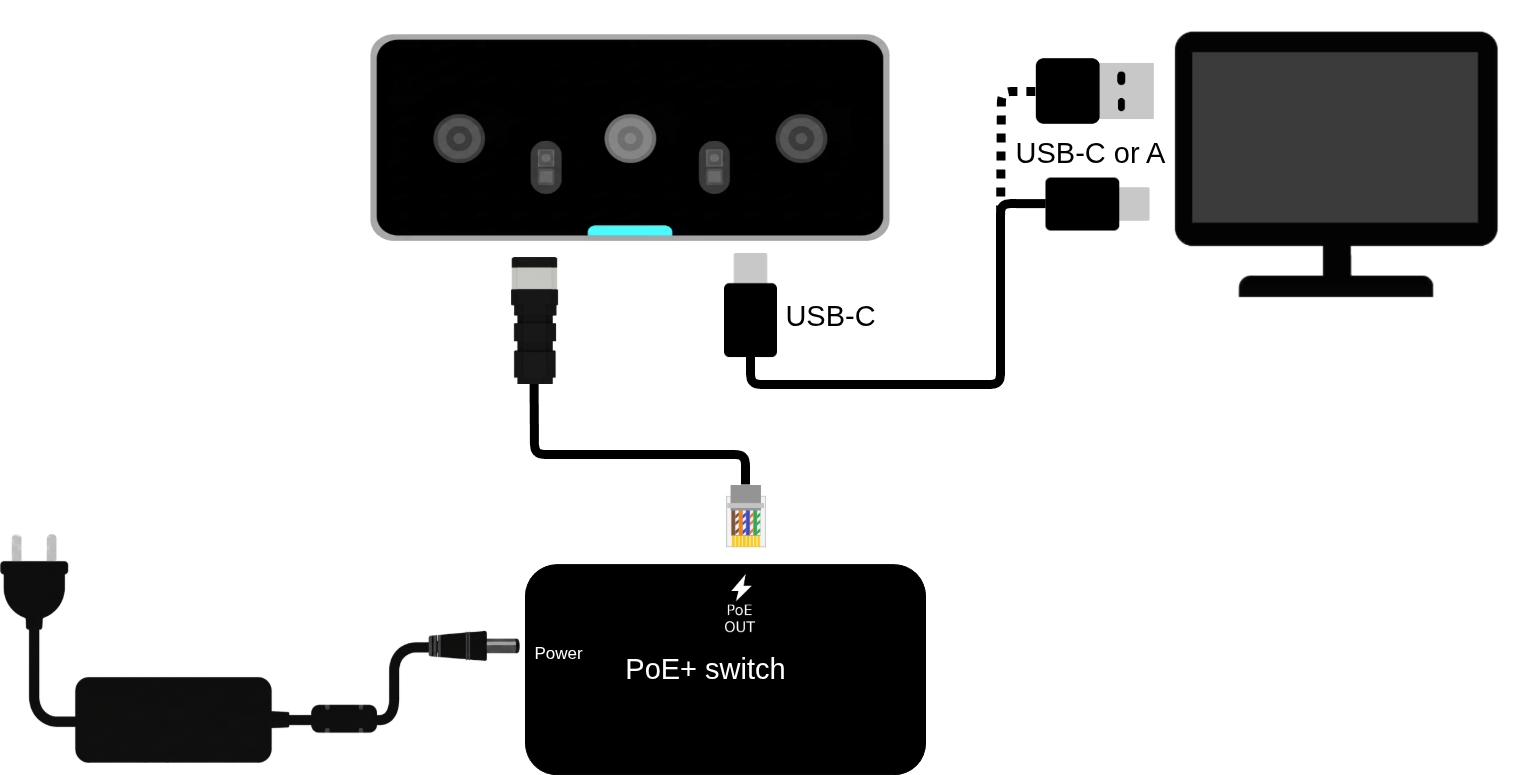
Some host computers and USB hubs cannot provide sufficient power over USB-C. In these situations, you can still use USB-C for communication while powering the camera through PoE+.
This setup provides the benefits of direct USB communication while ensuring the camera receives enough power for maximum performance.
Enable Internet Access Over USB
For the best development experience, we recommend providing internet connectivity to the camera. This enables software updates, package downloads, and cloud-connected workflows.
The easiest way to do this is by sharing your host computer's internet connection over USB.
First, install oakct on your host computer.
Then enable USB networking:
oakctl usbd enable
Once enabled, the camera can access the internet through the host machine without requiring a separate Ethernet connection.
SSH Access When Using USB-C Power
If you are powering the camera exclusively through USB-C and need SSH access, make sure USB networking is enabled by sharing your host PC's network connection:
oakctl usbd enable
This creates a direct network connection between your computer and the camera, allowing SSH access and internet connectivity over the same USB-C cable.
One Cable. Less Complexity.
USB-C only deployment removes the need for separate networking and power infrastructure during development. Whether you're evaluating OAK4 on your desk, building a prototype, or deploying a compact edge AI solution, a single USB-C cable is often all you need to get started. And when additional power is required, you can seamlessly combine USB-C communication with PoE+ power delivery.
See other ways to get started with your OAK4 here: https://docs.luxonis.com/hardware/platform/deploy/oak4-deployment-guide/oak4-getting-started/
