How do we adopt an OAK4 (that has been setup) remotely? I see it can be done with the OAK Viewer but that requires that you be local. How do we do this with eg oakctl?
Background
I had multiple OAK4SW devices on a remote network that were all working and adopted in our team Luxonis Hub account. However, two days ago, one of the cameras disappeared from our account when I deleted an app (not in the offline tab; completely removed from the account). I could still see the device in oakctl and it showed as Setup & adopted. and I could install apps to it via oakctl but it couldn't access our private models
I deleted the app on the camera in question (serial number 374921464) via the Luxonis Hub. I selected the device from Devices then clicked on the app I wanted to delete, which brought me that specific instance of the App on that device. I clicked on the three dots in the upper right, which then showed the option to delete the app eg:
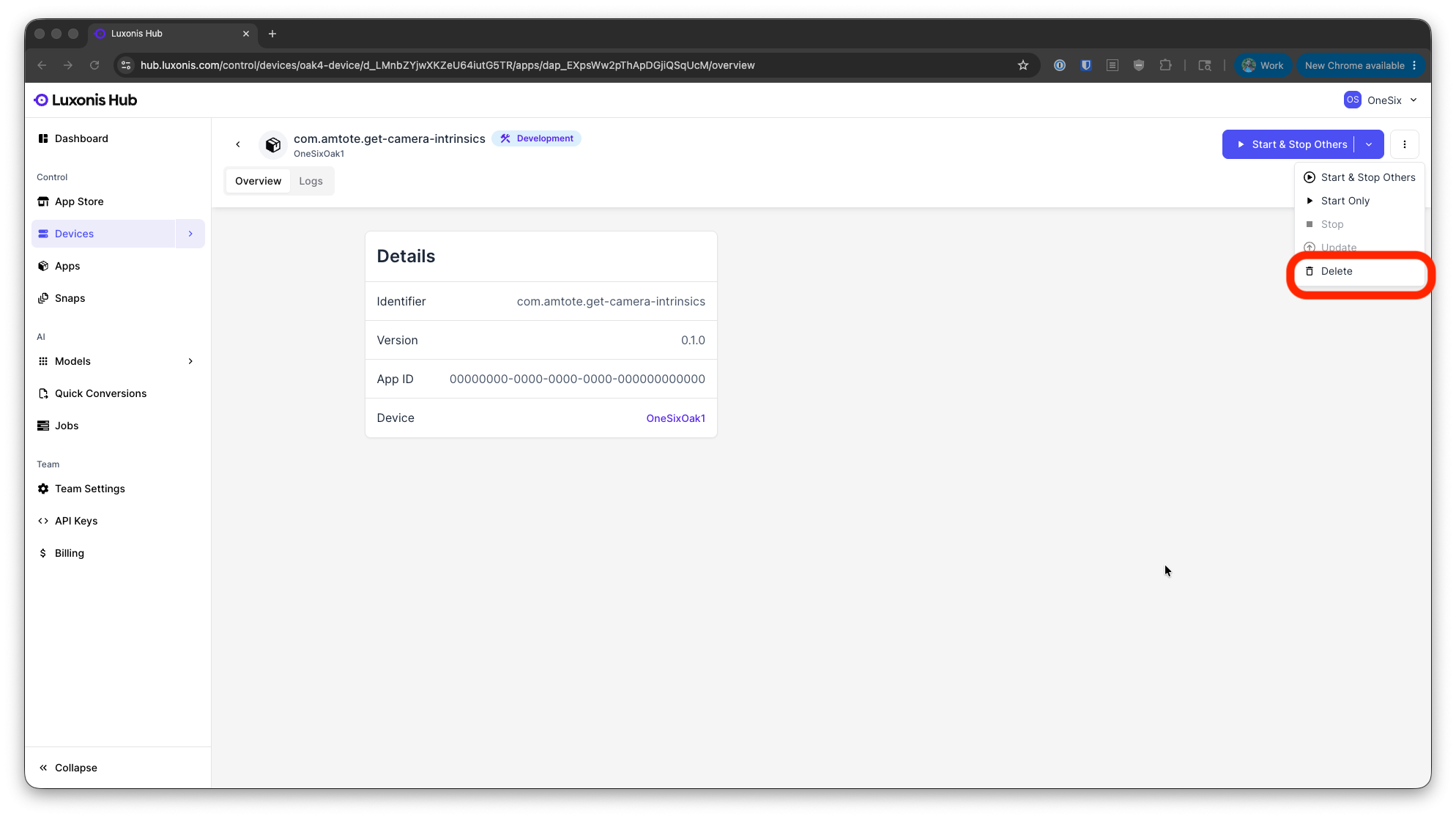
That is different from the options available from the Devices page where you can remove a camera from an account. I don't understand how removing an installation of an app removed the camera from our account
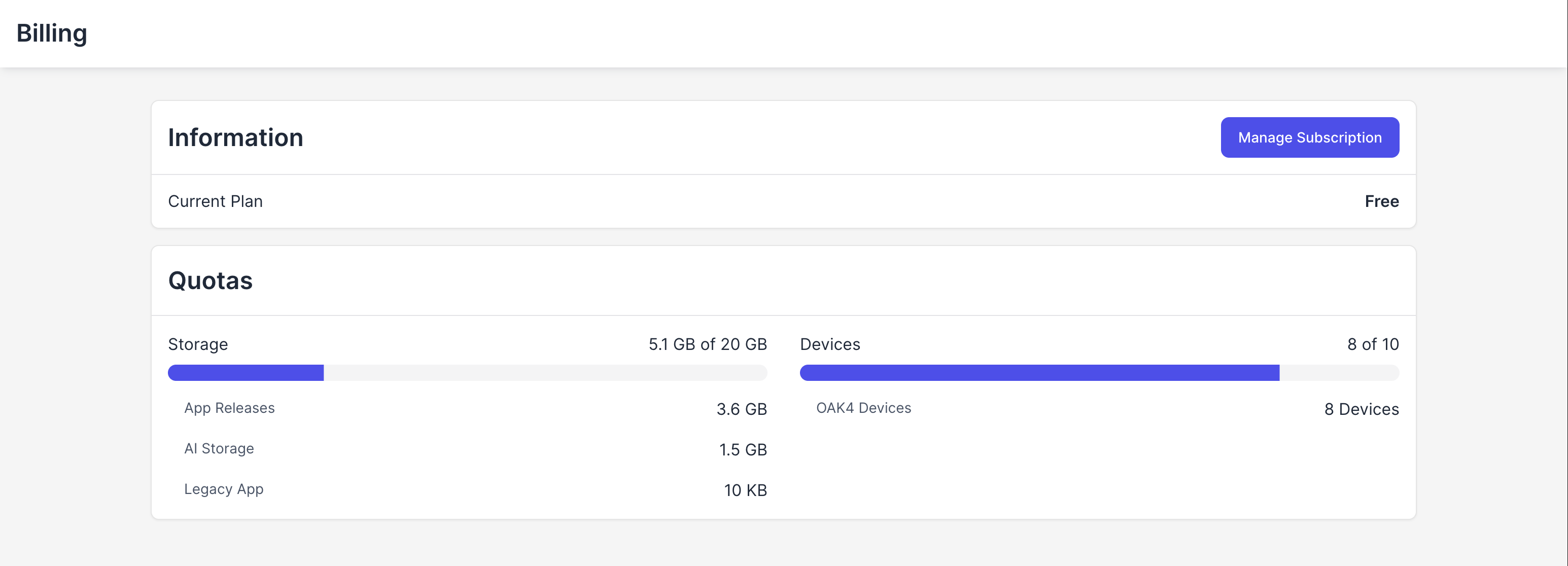
This is what our Hub account showed before I deleted the app on the camera showing 8 devices:
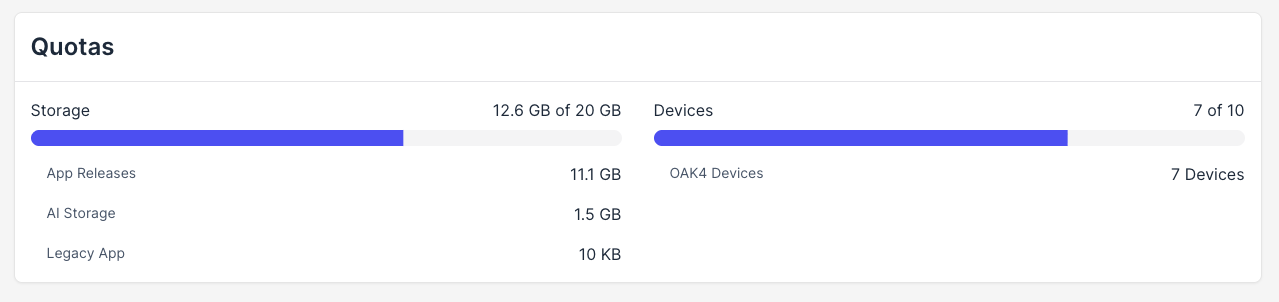
Once I deleted the app, there were just 7 devices on the account:
What I've Tried
Here is what oakctl device list showed before making any changes. Note that the device in question (serial number 374921464) is shown as Setup & adopted
+---+---------------+---------------+-----------------+-------------+---------------+----------+
| # | Serial Number | Device | Connection | OS | Agent Version | Setup |
+==============================================================================================+
| 1 | 142384345 | Luxonis, Inc. | 10.212.112.97, | Luxonis OS | 0.22.1 | Setup & |
| | | OAK4-S R9 | 10.212.115.204 | RVC4 1.33.0 | | adopted. |
|---+---------------+---------------+-----------------+-------------+---------------+----------|
| 2 | 1696598721 | Luxonis, Inc. | 10.212.112.185, | Luxonis OS | 0.22.1 | Setup & |
| | | OAK4-S R9 | 10.212.115.207 | RVC4 1.33.0 | | adopted. |
|---+---------------+---------------+-----------------+-------------+---------------+----------|
| 3 | 374921464 | Luxonis, Inc. | 10.212.113.63, | Luxonis OS | 0.22.1 | Setup & |
| | | OAK4-S R9 | 10.212.115.201 | RVC4 1.33.0 | | adopted. |
|---+---------------+---------------+-----------------+-------------+---------------+----------|
| 4 | 4035649565 | Luxonis, Inc. | 10.212.112.182, | Luxonis OS | 0.22.1 | Setup & |
| | | OAK4-S R9 | 10.212.115.203 | RVC4 1.33.0 | | adopted. |
+---+---------------+---------------+-----------------+-------------+---------------+----------+
Then I did device setup according to these instructions. Selected the Advanced Stup Using CLI option on this page.
After setting it up again, I now see:
+---+---------------+---------------+-----------------+-------------+---------------+-------------+
| # | Serial Number | Device | Connection | OS | Agent Version | Setup |
+=================================================================================================+
| 1 | 142384345 | Luxonis, Inc. | 10.212.112.97, | Luxonis OS | 0.22.1 | Setup & |
| | | OAK4-S R9 | 10.212.115.204 | RVC4 1.33.0 | | adopted. |
|---+---------------+---------------+-----------------+-------------+---------------+-------------|
| 2 | 1696598721 | Luxonis, Inc. | 10.212.112.185, | Luxonis OS | 0.22.1 | Setup & |
| | | OAK4-S R9 | 10.212.115.207 | RVC4 1.33.0 | | adopted. |
|---+---------------+---------------+-----------------+-------------+---------------+-------------|
| 3 | 374921464 | Luxonis, Inc. | 10.212.113.63, | Luxonis OS | 0.22.1 | Setup |
| | | OAK4-S R9 | 10.212.115.201 | RVC4 1.33.0 | | (unadopted) |
|---+---------------+---------------+-----------------+-------------+---------------+-------------|
| 4 | 4035649565 | Luxonis, Inc. | 10.212.112.182, | Luxonis OS | 0.22.1 | Setup & |
| | | OAK4-S R9 | 10.212.115.203 | RVC4 1.33.0 | | adopted. |
+---+---------------+---------------+-----------------+-------------+---------------+-------------+
However, I cannot find any oakctl commands that will allow me to adopt the camera to our Luxonis Hub account
System: depthai 3.6.1, oakctl 0.23.0, OAK-4S (RVC4), LuxonisOS 1.33.0


