The M8 Controller Box: Turning Your Camera into an Automation Hub
Modern machine vision systems are incredibly powerful at detecting, analyzing, and deciding—but they often hit a frustrating bottleneck when it comes to acting. Traditionally, bridging that gap requires an additional computer or PLC layer to translate insights into real-world responses.
OAK4 x M8 Controller Box changes that.
The M8 Controller Box is currently in prototype access. This means we’re offering limited quantities of early, in-development units. It provides you with early, unrestricted access to new Luxonis hardware before it reaches full production.
From Vision to Action—Instantly
At its core, the M8 Controller Box is an industrial I/O breakout module designed to sit alongside OAK4 cameras and unlock direct hardware control.
Instead of routing decisions through an external system, the M8 Controller Box enables your camera to interact directly with the physical world—in real time.
With built-in connectivity and control interfaces, your OAK device can:
- Trigger actuators the moment an anomaly is detected
- Switch relays to control motors or alarms
- Synchronize and control external lighting (e.g., strobe lights)
- Communicate with PLCs and industrial systems
- Read sensor inputs or button states
All without needing a separate computer in the loop.
Powerful I/O in a Compact Form
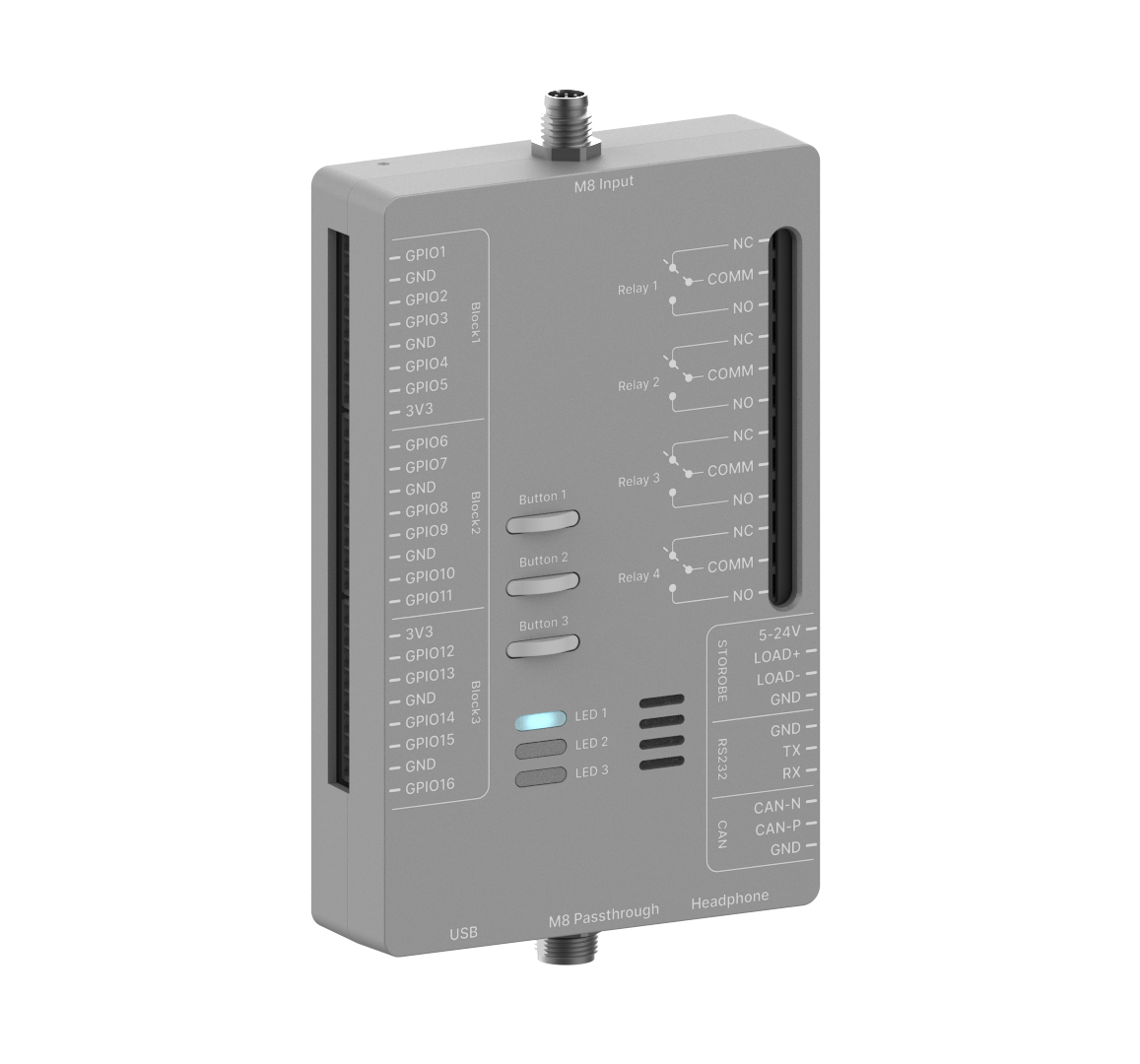
Despite its compact footprint, the M8 Controller Box packs serious industrial capability:
🔌 Connectivity & Control
- 16 GPIOs for flexible digital interaction
- 4 heavy-duty relays (up to 16A / 400VAC)
- RS232 Serial communication
- Native CAN bus support
- 2× USB-A ports
This combination allows your vision system to seamlessly integrate into factory environments and automation workflows.
Built for Industrial Environments
The M8 Controller Box is designed with practical deployment in mind:
Mechanical Specifications
- Dimensions:
- Width: 78 mm
- Height: 123 mm
- Depth: 29 mm
- Weight: 300 g
Mounting Options
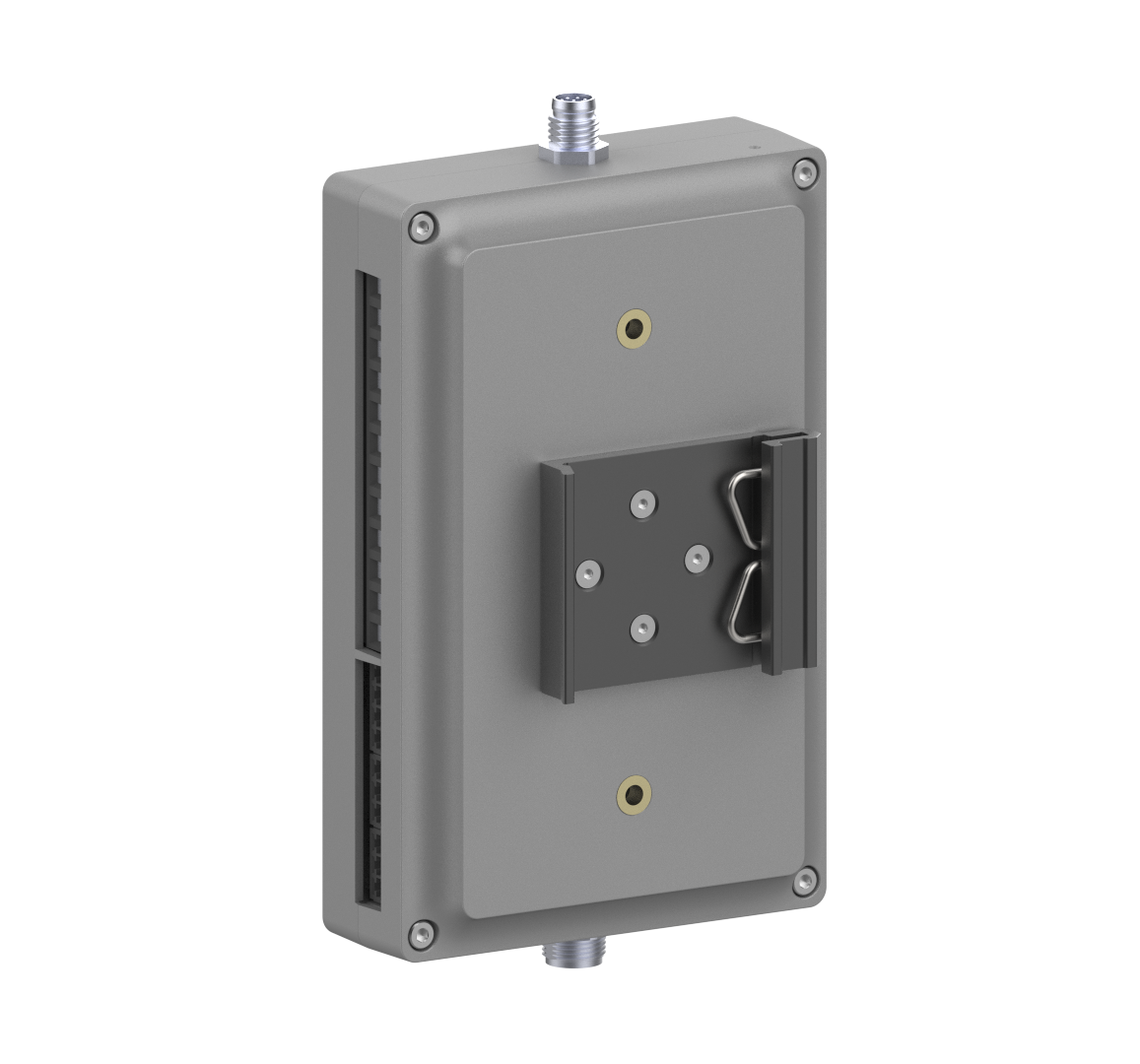
- VESA 75 mm mounting
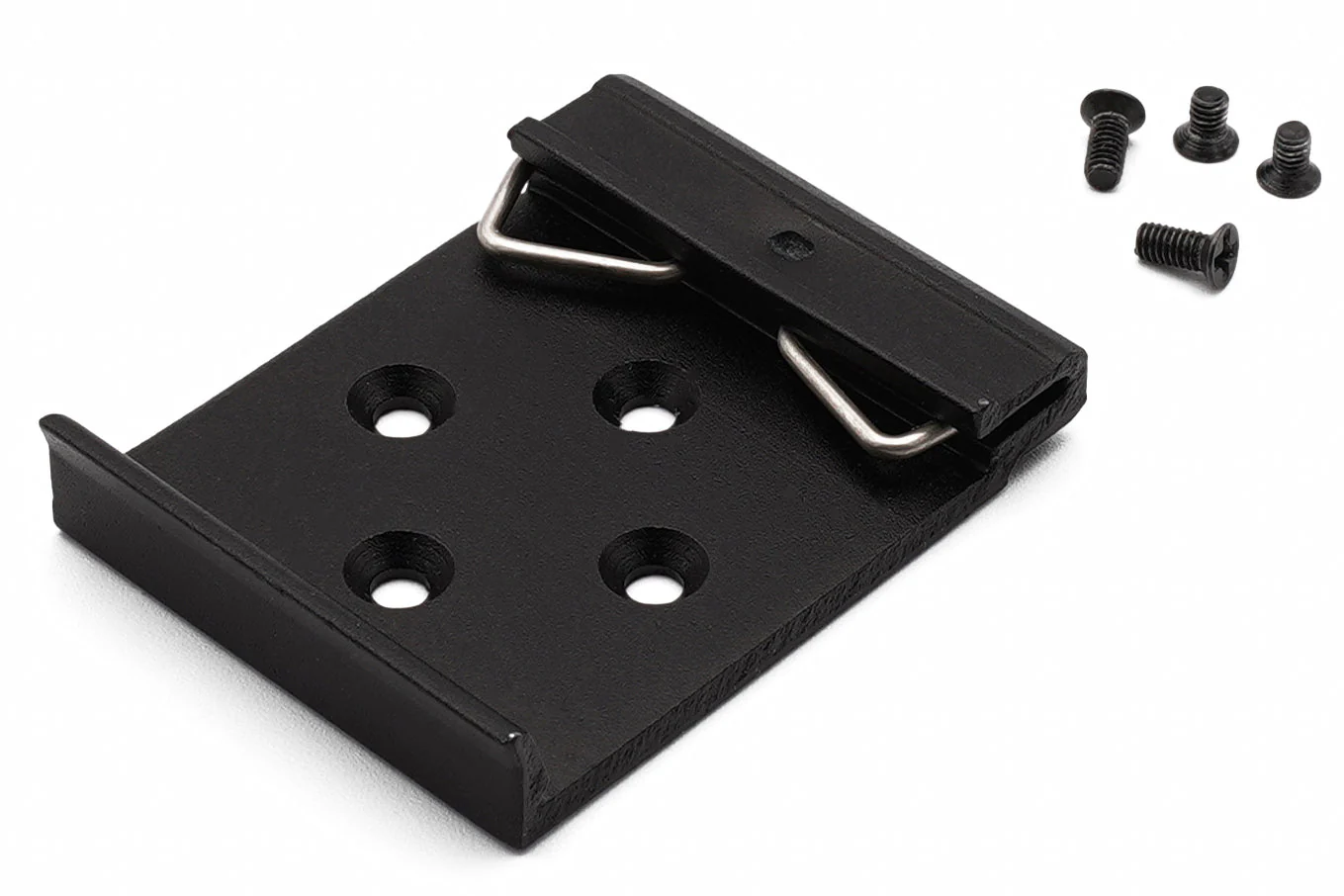
- DIN rail clip (included accessory)
Power & Operation
- Powered directly via 5V from the OAK4 M8 connector
- No additional power supply required for basic operation
Included Accessory: DIN Rail Mount Clip
To simplify installation in industrial cabinets, the box includes a DIN rail mount clip.
This allows you to:
- Easily mount alongside PLCs and other control hardware
- Access GPIO, CAN, UART, and relay control via the OAK4 interface
- Keep your setup clean, modular, and production-ready
What You Can Do with It
With the M8 Controller Box, your OAK4 device becomes a fully interactive automation node.
Key Capabilities
- Control onboard I/O and relays directly from your vision pipeline
- Communicate via CAN and Serial interfaces
- Implement FSync splitter functionality via M8 input/output
- Build closed-loop automation systems with minimal latency
Quick Start Example
Getting started is straightforward. For example, you can run a conveyor belt control or strobe relay demo, which can be seen in the video:
git clone --depth 1 --branch feature/m8-controller-box https://github.com/luxonis/oak-examples.git
cd oak-examples/m8-controller-box/strobe-relay-example
oakctl connect <DEVICE_IP>
oakctl app run
Make sure you replace <DEVICE_IP> with the IP of your camera. Within minutes, you can have your camera detecting events and triggering real-world actions.
The Bottom Line
The M8 Controller Box transforms OAK4 cameras into true automation hubs—systems that don’t just see and understand, but act instantly.
For builders of industrial, robotics, and smart automation solutions, it serves as the missing link that brings perception and control into one seamless system.
Now available in early prototype access, you can get your hands on limited, in-development units and start building with next-generation Luxonis hardware before full production.
