With the DepthAI 3.4.0 release, we’re introducing USB connectivity for OAK4 in Alpha stage - currently only enables high-bandwidth streaming and easier integration with host systems for apps in Peripheral mode. In this release oakctl app running, OAK Viewer connection, ethernet sharing, and OTA updates are not supported, but are next in the development pipeline.
This update allows developers to run Spatial AI pipelines and stream results directly over USB, simplifying development setups and making it easier to prototype applications with a single connection. Previously, accessing the device required connecting the camera over PoE, but USB support now provides a much simpler way to get started during development.
USB vs PoE+ Comparison
To better illustrate the differences between USB and PoE+ connectivity on OAK4, we’ve prepared a side-by-side comparison.
With the DepthAI 3.4.0 release, we’re introducing USB connectivity for OAK4, enabling high-bandwidth streaming and easier integration with host systems.
This update allows developers to run Spatial AI pipelines and stream results directly over USB, simplifying development setups and making it easier to prototype applications with a single connection.
Previously, accessing the device required connecting the camera over PoE+, but USB support now provides a much simpler way to get started during development.
In this post, we’ll walk through the key capabilities introduced in this release, demonstrate example pipelines you can run today, and show how to measure USB streaming performance on OAK4.
Key Features
4K Streaming over USB
One of the major additions in DAI 3.4.0 is the ability to stream 4K video over USB.
In testing, OAK4 is capable of achieving:
4K at 17 FPS on average via USB
This provides a practical reference point for high-resolution streaming performance when building pipelines that require detailed visual data.
Because pipeline configuration, host hardware, and bandwidth usage can affect throughput, we recommend measuring performance within your own setup to determine the optimal configuration for your application.
USB-C Power Requirements
To run OAK4 reliably over USB, sufficient power delivery is required.
The device should be connected using USB-C capable of delivering at least 15W.
Using lower-power USB connections may lead to unstable behavior or reduced performance during heavier workloads.
For best results:
- Use a USB-C cable capable of proper power delivery
- Connect directly to a host port or a powered USB hub
- Ensure the host system can supply sufficient USB-C power
- Ensure the quality of your USB cable
Future Feature: Ethernet Sharing
Another feature currently under development is Ethernet sharing.
This will allow an OAK4 device connected via USB to access network connectivity through the host machine, enabling workflows such as:
- downloading models directly from the device
- accessing network resources
- simplifying development environments
This capability is not yet available in DAI 3.4.0, but it’s actively being worked on and will arrive in a future release.
Recommended Setup & Known Limitations
Recommended Software Versions
For the most reliable experience with USB streaming features, we recommend using:
- OAK OS 1.27.1 (latest release)
- DepthAI 3.4.0
These versions include the most recent USB improvements and stability fixes.
Power & Hardware Considerations
To ensure stable operation over USB:
- Use a USB-C port capable of at least 15W (5V / 3A)
- For higher power draw (comparable to PoE+ ~25W), the host must support USB Power Delivery (PD)
Known Limitations (Current Release)
While USB support is already highly usable, a few features are still in progress:
- OAK Viewer support is not yet available
- Ethernet sharing is under development (see section above)
- OTA updates are not supported (manual transfer via adb/scp required)
- Building applications directly on the device (aka. standalone mode) is not yet supported
- oakctl does not yet display all fields (OS, Agent Version, Setup may show as N/A)
- On first USB-powered boot, the red LED may blink (subsequent boots behave normally)
Upcoming Improvements
Over the next 1–2 months, we are working on several enhancements:
- Full OAK Viewer support
- Ethernet-over-USB functionality
- Improved developer workflows (OTA, on-device builds)
- More complete oakctl reporting
- Optimized power profile for QCS8550 (balancing CPU + NN performance within 15W)
- A more convenient Y-splitter design optimized for OAK4
Example Pipelines
You can run any example from the oak-examples repository using peripheral mode with OAK4 over USB.
In peripheral mode, the pipeline runs on the host machine, while OAK4 provides camera input and hardware acceleration over USB. This allows you to reuse existing examples from oak-examples without modification and quickly test different pipelines on your setup.
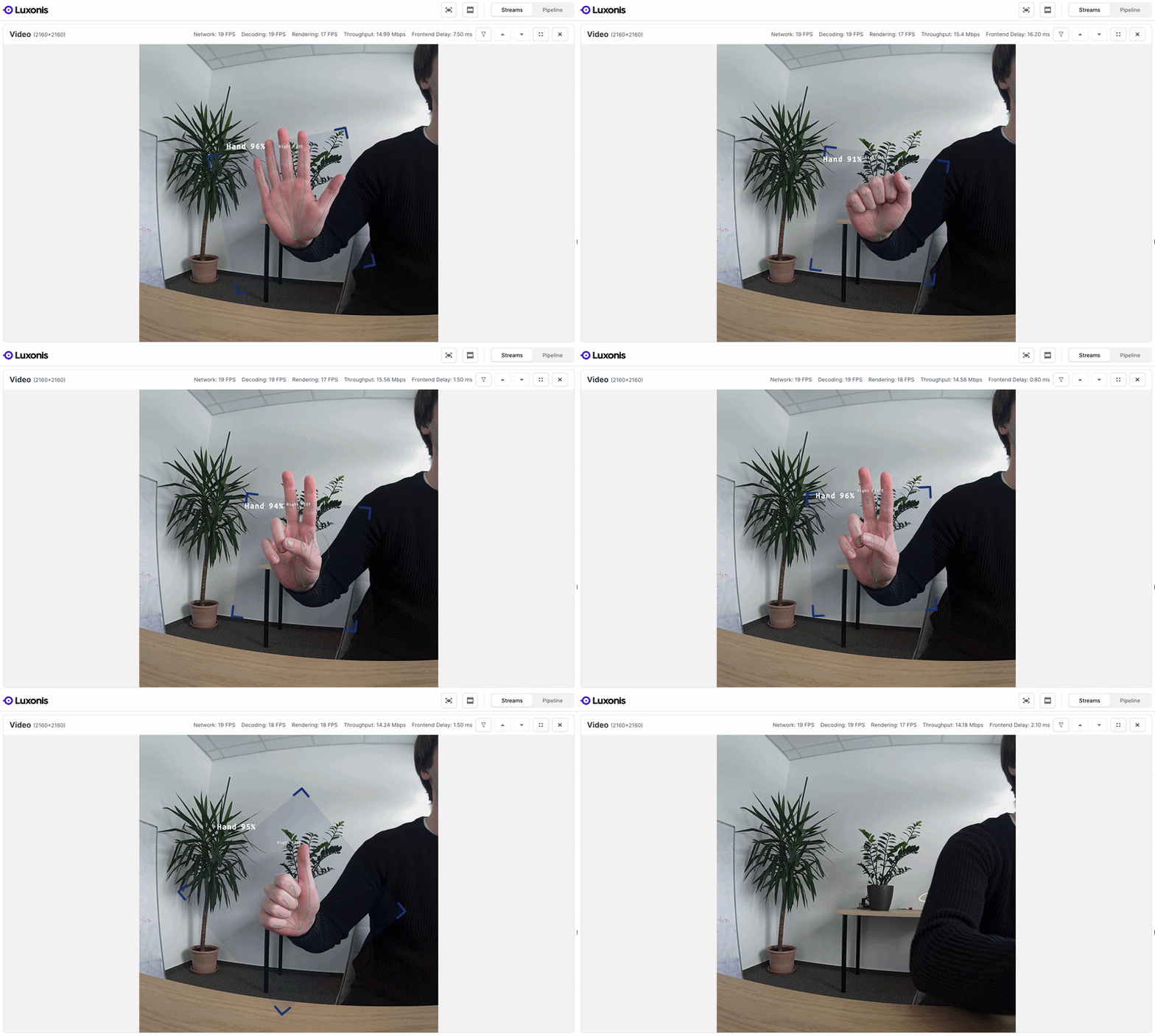
Hand Pose Example
The hand pose example demonstrates real-time neural inference running alongside USB streaming.
This pipeline performs hand pose estimation and outputs detected keypoints while streaming frames to the host. It’s a useful reference for developers building interactive or gesture-based applications.
In our testing, this example runs at 2160 × 2160 resolution with ~19–20 FPS over USB.
YOLO-World Example
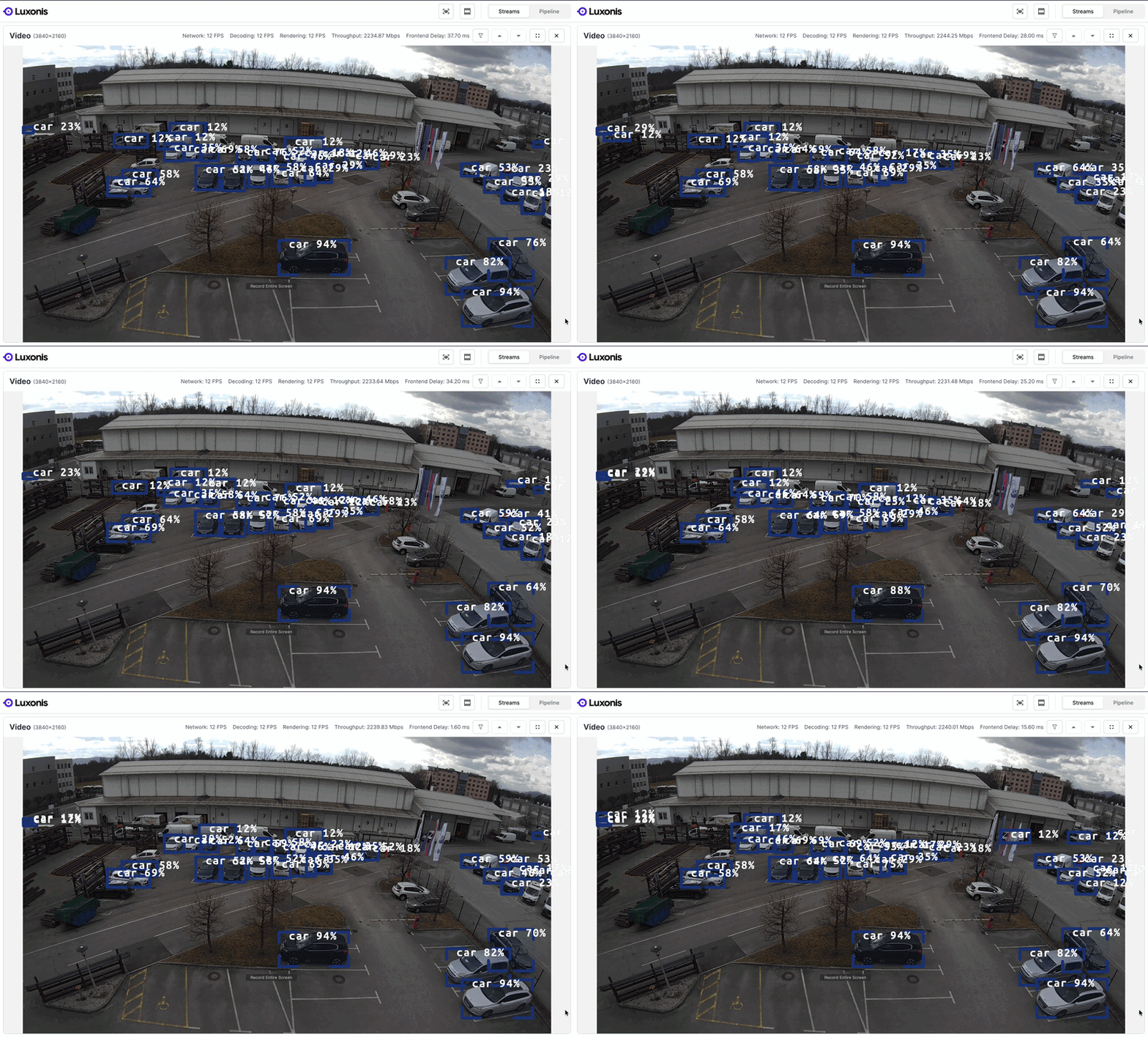
The YOLO-World example showcases open-vocabulary object detection running on OAK4. It demonstrates how modern detection models can run directly on the device while results are streamed to the host via USB.
In this setup, the pipeline runs at true 4K resolution with ~12 FPS. In our experiments, this example maximizes USB throughput, reaching approximately 2.22–2.30 Gbps. The exact throughput depends on the USB port used and the host system, with peak measurements reaching up to 2.6 Gbps in some setups.
This makes it a useful reference for developers who want to push the limits of USB streaming performance while running flexible detection pipelines.
Benchmarking USB Performance
To understand the performance of USB streaming in your environment, we recommend running benchmarks using different pipeline configurations.
While the exact throughput will depend on factors such as host hardware and pipeline complexity, our testing demonstrates that OAK4 can reach:
4K streaming at 17 FPS on average via USB
When benchmarking your setup, consider:
- pipeline complexity
- number of output streams
- host USB controller capabilities
- system load on the host machine
Measuring performance in your specific configuration will help determine the optimal pipeline setup for your application.
Conclusion
The DepthAI 3.4.0 release brings USB support to OAK4, enabling high-resolution streaming and simplified development workflows.
With this update you can:
- Stream 4K video at 17 FPS via USB
- Run Spatial AI pipelines while sending results directly to the host
- Prototype applications using a simple USB-C connection
- Explore ready-to-run examples including generic pipelines, hand pose estimation, and YOLO-World detection
Additional connectivity improvements such as Ethernet sharing are already in development and will further expand the capabilities of OAK4 in future releases.
